

The CyberOne Modular and the CyberOne Pro share a name, a motor family, and a module ecosystem, which is why the choice gets confusing. One is a fully integrated workstation where power, audio, lighting, and storage are built in at the system level. The other starts as a frame and lets you add the same capabilities one module at a time.

The Short Answer
- Pick CyberOne Pro if you want everything working out of the box: integrated power, wireless charging, speakers, coaster, drawer, and cable management, with no assembly decisions left.
- Pick CyberOne Modular if you want a lower entry price, more top shapes (including L, Extended L, and U), and the option to add only the modules you will actually use.
Side-by-Side Comparison
Compare the selected configurations on the current product pages. Prices, included accessories and delivery estimates can change; do not treat third-party listings as confirmed specifications.
|
|
||
|
Price
|
Check selected configuration price
|
Check current product price
|
|
Top configurations
|
Main, L, Extended L, U
|
Single 63" x 31.5" top
|
|
Dynamic Load
|
300 lb Main / 365 lb L / 475 lb Extended L or U | 275 lb |
|
Noise
|
≤ 50 dB
|
≤ 50 dB
|
|
Smart features
|
Add the modules you choose
|
11 features integrated at system level
|
|
Delivery
|
Free, 3–10 business days
|
Free, 3–10 business days
|
What They Share
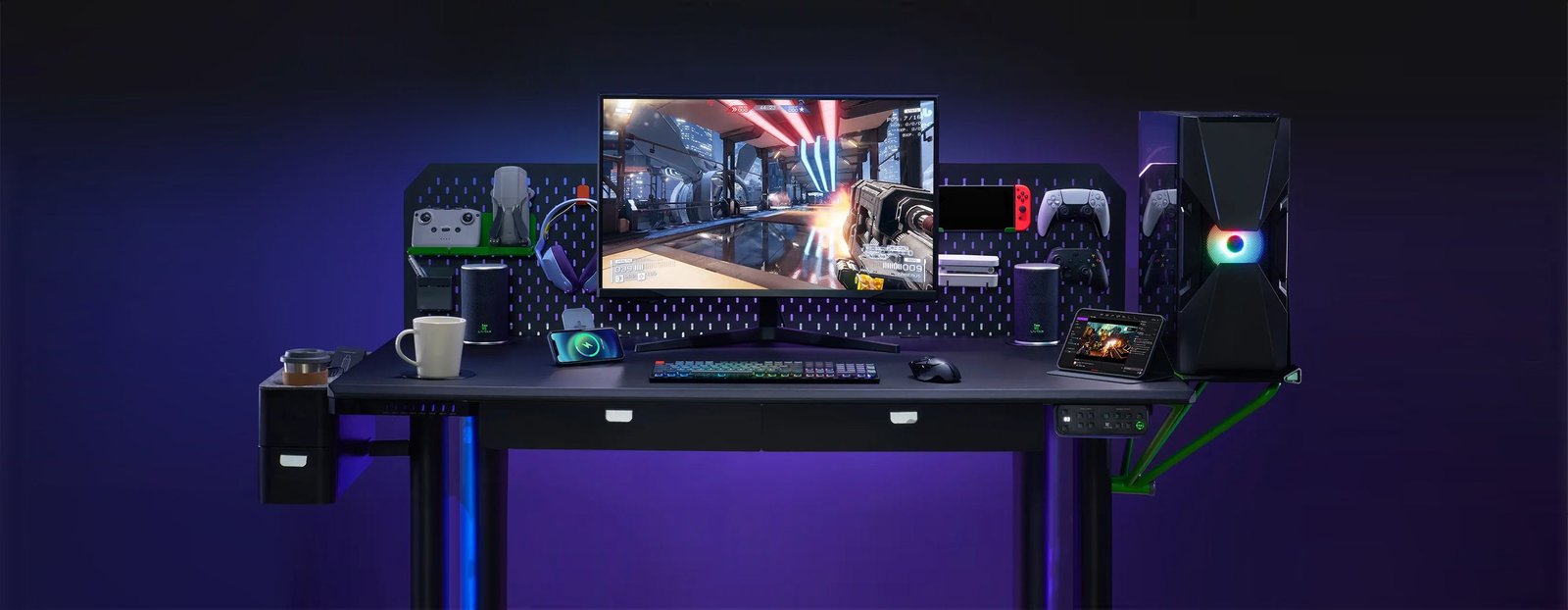
- Same smart ecosystem: Dual Smart Lift Speakers (£144.19), Heating and Cooling Coaster (£62.33), Multi-Port Charging Station (£56.04), RGB Ambient Light (£49.74), Metal Storage Pegboard (£93.82), PC Tower Bracket (£68.63), Tool Box (£62.33).
- Review the noise rating and safety instructions for the exact configuration. Safety features do not replace keeping the desk’s movement path clear.
- Free shipping with 3–10 business day delivery.
- The Pro pre-installs most of what the Modular lets you add. On the Modular, RGB lighting and the monitor arm system both require the pegboard first.
Difference 1: Integrated vs. Add-On
This is the whole decision. The Pro ships with eleven workspace features already built in: integrated power column, cable management tray, multi-port charging station, desktop wireless charging, built-in drawer, dual lift-up Bluetooth speakers, heating and cooling coaster, metal storage pegboard, CPU holder, and tool box. Check the current product configuration for included accessories and pricing.
- CyberOne Pro: one purchase, one power core, no adapters hanging under the desktop.
- CyberOne Modular: choose the Main Desk or another layout, then select compatible modules for your needs. Check the configuration’s current price and included parts.
- If you hate cable clutter and want one control surface, the Pro wins on tidiness. If you would rather not pay for a coaster you will never use, the Modular wins on waste.
Difference 2: Layouts and Load
- CyberOne Modular offers four tops: Main 63.0" x 31.5", L-Shape 86.6" x 63.0", Extended L 86.6" x 126.0", and U-Shape 110.2" x 63.0". Corner and wraparound setups only exist here.
- CyberOne Pro is a single 63" x 31.5" workstation (third-party retail listing, pending official confirmation).
- CyberOne Modular uses two motors for Main, three for L-shape and four for Extended L / U-shape. The corresponding dynamic load ratings are 300, 365 and 475 lb. Compare the selected layout with CyberOne Pro’s own specifications, not with a generic maximum.
Difference 3: Cost and Timing
Build a like-for-like comparison using current product prices. For Modular, total the chosen layout and compatible accessories. For Pro, confirm the included features and any optional additions. Compare those totals with your actual requirements rather than assuming either approach is always better value.
Which One Fits Your Setup?
- Want it done in one delivery -> CyberOne Pro. Nothing to configure, nothing to add.
- Corner, L, or U-shaped room -> CyberOne Modular. The Pro does not come in those shapes.
- Heavy multi-monitor or streaming rig -> compare the exact layout’s dynamic rating, equipment footprint and mounting limits before choosing.
- Budget now, upgrade later -> CyberOne Modular. Start with the Main Desk and add modules over time.
- Hate visible cables and power bricks -> CyberOne Pro. The unified power core removes external adapters.
FAQ
- Is the CyberOne Pro just a CyberOne Modular with every module installed? Close, but not identical. Pro is a system-level integration with its own power column and dual-motor frame, while Modular uses a layout-specific motor system with compatible add-on modules.
- Can I add modules to the CyberOne Pro later? The monitor arm system is offered as an add-on at checkout. The rest of the eleven features ship installed.
- Which one is quieter? Compare current model-specific ratings measured under comparable conditions; a published rating alone does not establish which will sound quieter in your room.
- Do I need the pegboard on the Modular? Yes if you want RGB lighting or the monitor arm system. Both mount to the pegboard.
Pick Your CyberOne
Both desks share the same module ecosystem and the same quiet, anti-collision lift. Go all-in-one if you want everything on day one. Go modular if you want the layout and the budget to be yours.
Shop the CyberOne Pro All-in-One Smart Standing Desk →
Build Your CyberOne Modular Smart Standing Desk →
Keep reading:
Which CyberOne Smart Desk Modules Should You Choose First?
Built-In vs. Add-On Smart Desk Accessories: Which Is Better?
